
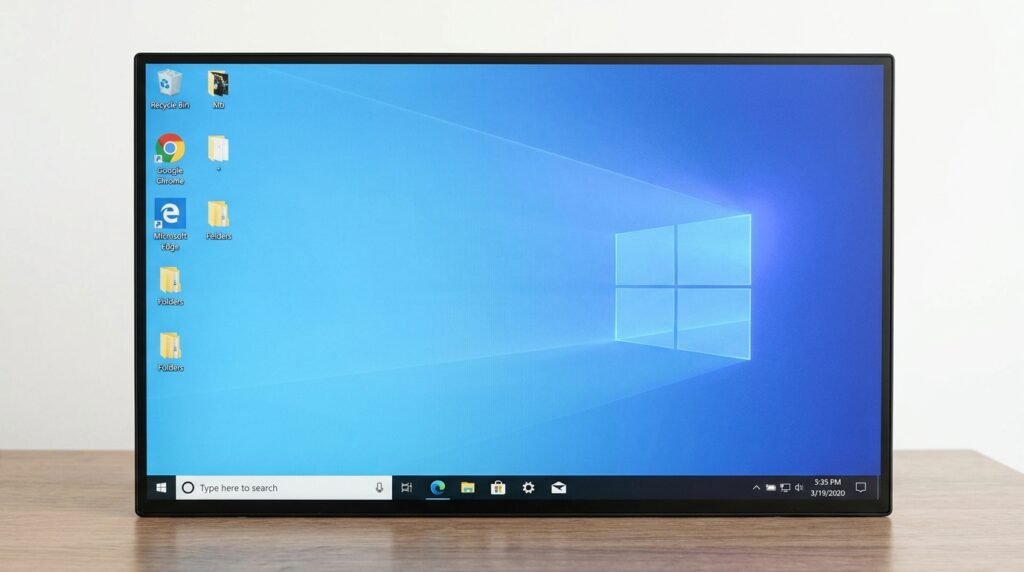
Windows 10 বা Windows 11-এর desktop-এর ডান নিচে **“Activate Windows—Go to Settings to activate Windows”** লেখা দেখা গেলে সাধারণত Windows সঠিকভাবে activated নয় অথবা আগের activation আর যাচাই করা যাচ্ছে না।
এই watermark শুধু লুকিয়ে ফেললেই মূল সমস্যার সমাধান হয় না। Windows সক্রিয় করতে বৈধ Digital License অথবা ২৫ অক্ষরের Product Key প্রয়োজন। ভুল edition, motherboard পরিবর্তন, internet সমস্যা, activation server, invalid key অথবা licensing file সমস্যার কারণে activation ব্যর্থ হতে পারে।
এই গাইডে crack বা অবৈধ activator ব্যবহার না করে Windows Activation status পরীক্ষা এবং বৈধভাবে সমস্যা সমাধানের নিয়ম দেখানো হয়েছে।
## Activate Windows Watermark কেন আসে?
সাধারণ কারণগুলো হলো:
* Windows এখনো activate করা হয়নি
* Product Key দেওয়া হয়নি
* Product Key invalid বা block করা
* অন্য computer-এ key ব্যবহৃত হচ্ছে
* Windows Home-এর license দিয়ে Pro install করা
* Motherboard পরিবর্তন করা হয়েছে
* Digital License Microsoft account-এর সঙ্গে linked নয়
* Internet connection সমস্যা
* Activation server সাময়িকভাবে unavailable
* Windows licensing file corrupted
* Significant hardware change
* Organization বা KMS license আর valid নয়
* Windows edition পরিবর্তন করা হয়েছে
## Windows Activation কী?
Activation Windows-এর license এবং computer-এর hardware configuration যাচাই করে।
সাধারণ activation method দুটি:
### Digital License
Digital License computer hardware এবং অনেক ক্ষেত্রে Microsoft account-এর সঙ্গে যুক্ত থাকে। একই device-এ একই Windows edition reinstall করলে internet connection পাওয়ার পর স্বয়ংক্রিয়ভাবে activate হতে পারে।
### Product Key
Product Key হলো ২৫ অক্ষরের code:
`XXXXX-XXXXX-XXXXX-XXXXX-XXXXX`
Windows install বা Activation Settings থেকে এই key ব্যবহার করা যায়।
## Watermark থাকলে কী সমস্যা হয়?
Windows সাধারণত চালু থাকে, তবে কিছু limitation দেখা যেতে পারে:
* Desktop-এ watermark
* Personalization setting সীমিত
* Wallpaper, colour বা theme পরিবর্তনে বাধা
* Activation notification
* কিছু organizational feature কাজ না করা
* Genuine license status অনিশ্চিত থাকা
Watermark থাকা মানেই computer virus আক্রান্ত—এমন নয়।
## প্রথমে Activation Status পরীক্ষা করুন
Windows 11-এ:
1. **Settings** খুলুন।
2. **System** নির্বাচন করুন।
3. **Activation** খুলুন।
4. Activation state দেখুন।
সম্ভাব্য status:
* Windows is activated
* Windows is activated with a digital license
* Windows is activated with a digital license linked to your Microsoft account
* Windows is not activated
* Activation error code
Error code থাকলে লিখে রাখুন।
## Windows 10-এ Activation Status
1. **Settings** খুলুন।
2. **Update & Security** নির্বাচন করুন।
3. **Activation** খুলুন।
4. Status ও edition পরীক্ষা করুন।
## ১. Internet Connection পরীক্ষা করুন
Digital License এবং online Product Key activation-এর জন্য internet প্রয়োজন।
পরীক্ষা করুন:
* Browser-এ website খুলছে কি না
* Wi-Fi বা Ethernet connected কি না
* Date ও time ঠিক আছে কি না
* VPN চালু আছে কি না
* Proxy connection আছে কি না
* Router restart করলে কাজ হয় কি না
সাময়িকভাবে VPN বন্ধ করে Activation page আবার পরীক্ষা করুন।
## ২. Date, Time ও Time Zone ঠিক করুন
ভুল date বা time Microsoft activation server-এর সঙ্গে secure connection ব্যাহত করতে পারে।
1. Settings খুলুন।
2. **Time & language** নির্বাচন করুন।
3. **Date & time** খুলুন।
4. **Set time automatically** চালু করুন।
5. **Set time zone automatically** চালু করুন।
6. **Sync now** চাপুন।
তারপর computer restart করে Activation আবার পরীক্ষা করুন।
## ৩. Windows Edition মিলছে কি না দেখুন
Product Key ও Digital License নির্দিষ্ট edition-এর জন্য প্রযোজ্য।
উদাহরণ:
* Windows 11 Home license → Windows 11 Home
* Windows 11 Pro license → Windows 11 Pro
Home license দিয়ে Pro activate হবে না।
Edition দেখতে:
**Settings → System → Activation**
ভুল edition install করা থাকলে সঠিক edition install অথবা বৈধ edition upgrade প্রয়োজন হতে পারে।
## ৪. Activation Troubleshooter চালান
Windows Activation page-এ **Troubleshoot** option থাকলে সেটি ব্যবহার করুন।
1. Settings খুলুন।
2. **System → Activation** এ যান।
3. **Troubleshoot** চাপুন।
4. Diagnosis শেষ হতে দিন।
5. প্রদর্শিত নির্দেশনা অনুসরণ করুন।
Troubleshooter administrator permission চাইতে পারে।
## ৫. Microsoft Account দিয়ে Sign In করুন
Digital License Microsoft account-এর সঙ্গে linked থাকলে hardware change-এর পর reactivation সহজ হয়।
1. Settings খুলুন।
2. **Accounts → Your info** এ যান।
3. সঠিক Microsoft account দিয়ে sign in করুন।
4. Activation page আবার খুলুন।
Activation status-এ license linked থাকার message দেখা যেতে পারে।
## ৬. Product Key দিয়ে Activate করুন
আপনার বৈধ Product Key থাকলে:
1. Settings খুলুন।
2. **System → Activation** এ যান।
3. **Change product key** নির্বাচন করুন।
4. ২৫ অক্ষরের key লিখুন।
5. **Next** চাপুন।
6. Activation শেষ হতে দিন।
Key টাইপ করার সময়:
* `0` এবং `O`
* `1` এবং `I`
* `5` এবং `S`
ভুল হচ্ছে কি না দেখুন।
Product Key কাউকে প্রকাশ করবেন না এবং screenshot-এ দেখাবেন না।
## ৭. Product Key কোথায় পাওয়া যেতে পারে?
Windows কীভাবে কেনা হয়েছে তার ওপর Product Key-এর location নির্ভর করে।
সম্ভাব্য জায়গা:
* নতুন computer-এর packaging
* Certificate of Authenticity
* Retail card বা box
* Purchase confirmation email
* Microsoft account order history
* Authorized seller invoice
* Organization IT department
নতুন branded computer-এ key firmware-এ embedded থাকতে পারে।
Random website থেকে কম দামের সন্দেহজনক key কিনবেন না।
## ৮. একই Windows পুনরায় Install করার পর Activation
Computer আগে একই edition-এ activated থাকলে Windows reinstall করার সময় **I don’t have a product key** নির্বাচন করা যায়।
Installation শেষ হওয়ার পর:
* Internet connect করুন
* একই edition আছে কি না দেখুন
* Microsoft account sign in করুন
* Activation status পরীক্ষা করুন
Hardware পরিবর্তন না হলে Digital License স্বয়ংক্রিয়ভাবে কাজ করতে পারে।
## ৯. Motherboard পরিবর্তনের পর Watermark
Motherboard পরিবর্তন Windows-এর কাছে significant hardware change হিসেবে ধরা হতে পারে।
এ অবস্থায়:
1. Settings → System → Activation খুলুন।
2. Troubleshoot চাপুন।
3. **I changed hardware on this device recently** নির্বাচন করুন।
4. License-linked Microsoft account দিয়ে sign in করুন।
5. আগের device নির্বাচন করুন।
6. **This is the device I’m using right now** tick করুন।
7. Activate চাপুন।
Option সব device বা license type-এ নাও থাকতে পারে।
## ১০. Home থেকে Pro Edition পরিবর্তনের পর সমস্যা
Windows Home থেকে Pro install বা upgrade করার পর Pro license প্রয়োজন।
শুধু edition পরিবর্তন করলেই activation হবে না।
যা যাচাই করবেন:
* আপনার key Home নাকি Pro
* Microsoft Store থেকে upgrade কেনা হয়েছিল কি না
* সঠিক Microsoft account ব্যবহার করা হচ্ছে কি না
* Edition upgrade সম্পূর্ণ হয়েছে কি না
## ১১. Product Key Already Used দেখালে
একটি license কত device-এ ব্যবহার করা যাবে তা license type-এর ওপর নির্ভর করে।
সম্ভাব্য কারণ:
* Key অন্য computer-এ active
* License transfer করা হয়নি
* OEM key অন্য motherboard-এর সঙ্গে যুক্ত
* Key unauthorizedভাবে বিক্রি হয়েছে
* Activation limit অতিক্রম করেছে
Purchase proof থাকলে seller বা Microsoft Support-এর সঙ্গে যোগাযোগ করুন।
## ১২. OEM এবং Retail License-এর পার্থক্য
### OEM License
সাধারণত নতুন computer-এর সঙ্গে আসে এবং প্রথম motherboard-এর সঙ্গে যুক্ত থাকতে পারে।
### Retail License
আলাদাভাবে কেনা হয় এবং license terms অনুযায়ী অন্য device-এ transfer করা যেতে পারে।
### Volume License
Business, school বা organization-এর জন্য ব্যবহৃত হয়।
License transfer করার আগে সংশ্লিষ্ট license terms যাচাই করা প্রয়োজন।
## ১৩. Organization Activation Message
নিচের message দেখা যেতে পারে:
* Windows is activated using your organization’s activation service
* We can’t activate Windows on this device because we can’t connect to your organization’s server
এটি KMS বা volume activation-এর সঙ্গে সম্পর্কিত হতে পারে।
Office বা company computer হলে:
* Organization network বা VPN connect করুন
* IT administrator-এর সঙ্গে যোগাযোগ করুন
* Personal key দিয়ে পরিবর্তন করার আগে অনুমতি নিন
Used computer কিনে এ message দেখলে বৈধ personal license প্রয়োজন হতে পারে।
## ১৪. Activation Error Code লিখে রাখুন
Activation page-এ নির্দিষ্ট error code দেখা যেতে পারে।
উদাহরণ:
* `0xC004F050`
* `0xC004C003`
* `0x803F7001`
* `0xC004F213`
* `0xC004F074`
Error code অনুযায়ী কারণ ভিন্ন।
Exact code note করে official Microsoft activation help-এ যাচাই করুন।
## ১৫. Windows Update সম্পূর্ণ করুন
Pending Windows Update licensing component-এর সমস্যা তৈরি করতে পারে।
1. Settings খুলুন।
2. **Windows Update** এ যান।
3. **Check for updates** চাপুন।
4. Update install করুন।
5. Computer restart করুন।
6. Activation আবার পরীক্ষা করুন।
## ১৬. Windows Activation Service পরীক্ষা করুন
Windows license-related service বন্ধ থাকলে activation সমস্যা হতে পারে।
1. `Windows + R` চাপুন।
2. লিখুন:
`services.msc`
3. Enter চাপুন।
4. **Software Protection** service খুঁজুন।
5. Service status পরীক্ষা করুন।
Service না বুঝে disable করবেন না।
## ১৭. System File Checker চালান
Windows licensing system file corrupted হলে SFC সাহায্য করতে পারে।
Administrator Terminal খুলে লিখুন:
`SFC /scannow`
Scan 100% শেষ হওয়া পর্যন্ত অপেক্ষা করুন।
শেষ হলে computer restart করুন।
## ১৮. DISM Repair চালান
SFC সমস্যা ঠিক করতে না পারলে Administrator Terminal-এ চালান:
`DISM /Online /Cleanup-Image /CheckHealth`
`DISM /Online /Cleanup-Image /ScanHealth`
`DISM /Online /Cleanup-Image /RestoreHealth`
শেষ হলে restart দিয়ে আবার:
`SFC /scannow`
চালাতে পারেন।
## ১৯. Activation Command দিয়ে Status দেখুন
Administrator Command Prompt বা Terminal খুলে লিখতে পারেন:
`slmgr /xpr`
এটি activation permanent নাকি expiry আছে—তার status দেখাতে পারে।
License information দেখতে:
`slmgr /dlv`
Product Key activate করার সাধারণ command:
`slmgr /ato`
Command চালানোর পর message পড়ুন।
অজানা activation script ব্যবহার করবেন না।
## ২০. BIOS বা Firmware-এ Embedded Key
অনেক branded laptop ও desktop-এ OEM key BIOS বা UEFI firmware-এ সংরক্ষিত থাকে।
সঠিক edition install করলে Windows সেটি automatically detect করতে পারে।
কিন্তু:
* Motherboard বদলানো
* ভুল edition install
* Firmware সমস্যা
* Unauthorized motherboard repair
হলে automatic activation নাও হতে পারে।
## ২১. Used Computer কিনলে যা যাচাই করবেন
পুরোনো computer কেনার সময় দেখুন:
* Windows activation status
* License type
* Home না Pro edition
* Seller invoice
* Microsoft account linkage
* Organization activation কি না
* Product Key sticker বৈধ কি না
Watermark লুকানো থাকলেও Settings থেকে status পরীক্ষা করুন।
## ২২. Crack বা Activator ব্যবহার করা যাবে কি?
না। KMS activator, crack, loader বা unauthorized script ব্যবহার করা নিরাপদ নয়।
এগুলো করতে পারে:
* Windows Defender বন্ধ
* Firewall পরিবর্তন
* Scheduled malicious task তৈরি
* Password চুরি
* Browser data সংগ্রহ
* Remote access install
* Update নষ্ট
* System file পরিবর্তন
* অবৈধ activation
Watermark সাময়িকভাবে চলে গেলেও security ও licensing সমস্যা থেকে যায়।
## ২৩. Registry Edit দিয়ে Watermark Hide করা কি সমাধান?
না। Registry, wallpaper বা overlay trick দিয়ে watermark লুকালেও Windows activated হয় না।
ফলে:
* Activation status অপরিবর্তিত থাকে
* Personalization সীমাবদ্ধ থাকতে পারে
* Notification ফিরে আসতে পারে
* Licensing error ঠিক হয় না
মূল license সমস্যা সমাধান করাই সঠিক পদ্ধতি।
## ২৪. Unknown Product Key Website এড়িয়ে চলুন
অস্বাভাবিক কম দামে key বিক্রি করা site-এর key হতে পারে:
* Stolen
* Volume license
* Education license
* Resold OEM key
* Previously used
* Region-restricted
* পরে block হওয়া key
Authorized Microsoft seller বা বিশ্বস্ত retailer থেকে license নিন।
## ২৫. Windows Genuine কি না বুঝবেন কীভাবে?
Activation status দেখুন:
**Settings → System → Activation**
তবে activated দেখালেই source বৈধ—এমন নিশ্চয়তা সবসময় পাওয়া যায় না, বিশেষ করে unauthorized volume activation-এর ক্ষেত্রে।
Purchase source, invoice ও license type গুরুত্বপূর্ণ।
## ২৬. Activation না থাকলে Windows Update বন্ধ হয় কি?
সব update সম্পূর্ণভাবে বন্ধ হয় না। তবে valid এবং supported Windows license ব্যবহার করা নিরাপদ ও আইনসম্মত।
Activation ছাড়াও security risk তৈরি করতে পারে এমন crack ব্যবহার করা উচিত নয়।
## ২৭. Reset বা Reinstall করার আগে
Windows reset বা reinstall করার আগে সংরক্ষণ করুন:
* Personal file
* Browser bookmark
* Email
* Software license
* Product Key
* Microsoft account
* Driver
* BitLocker recovery key
* Windows edition
সঠিক edition install করা খুব গুরুত্বপূর্ণ।
## ২৮. Windows Reinstall কখন প্রয়োজন?
শুধু watermark-এর জন্য সাধারণত Windows reinstall প্রয়োজন হয় না।
Reinstall বিবেচনা করা যায় যদি:
* Windows system file গুরুতরভাবে corrupted
* Edition ভুল install
* Unauthorized modified Windows
* Malware infection
* Activation component repair ব্যর্থ
* System unstable
Reinstall করলেও বৈধ license ছাড়া activation হবে না।
## ২৯. নতুন License কেনার নিয়ম
বৈধ key বা Digital License না থাকলে:
* Microsoft Store
* Authorized retailer
* Device manufacturer
* বিশ্বস্ত business supplier
থেকে license কিনুন।
Windows edition ও device requirement আগে যাচাই করুন।
## ৩০. Product Key Online-এ Share করবেন না
Product Key-এর photo, screenshot বা text social media, Facebook group বা public website-এ প্রকাশ করবেন না।
অন্য কেউ key ব্যবহার করলে activation সমস্যা হতে পারে।
Support নেওয়ার সময়ও সম্পূর্ণ key প্রকাশ না করাই নিরাপদ।
## কখন Professional সাহায্য প্রয়োজন?
নিচের অবস্থায় professional diagnosis নিন:
* Valid key কাজ করছে না
* Edition mismatch
* Motherboard পরিবর্তনের পর activation নেই
* Activation Troubleshooter ব্যর্থ
* Organization activation message
* Windows licensing service error
* SFC বা DISM ব্যর্থ
* Unauthorized activator আগে ব্যবহার করা হয়েছিল
* Malware সন্দেহ
* Windows reinstall প্রয়োজন
* Product Key বা invoice যাচাই দরকার
## দিনাজপুরে Windows Activation ও Installation Support
Windows Activation, edition mismatch, Product Key, Digital License অথবা Windows reinstall সমস্যা হলে Dinajpur IT Park-এ যোগাযোগ করতে পারেন।
আমরা প্রয়োজন অনুযায়ী সহায়তা করি:
* Activation status পরীক্ষা
* Windows edition যাচাই
* Digital License troubleshooting
* Product Key entry
* Hardware change-এর পর reactivation
* Windows system file repair
* Malware ও activator removal
* Genuine Windows installation
* Driver setup
* Data backup
**Dinajpur IT Park**
নিউটাউন ৩ নং বাজার, সদর, দিনাজপুর
মোবাইল: 01676-620232
বিকল্প মোবাইল: 01773-975423
WhatsApp: 01676-620232
আমরা crack বা অবৈধ activation service প্রদান করি না। বৈধ license ও নিরাপদ Windows setup-এর বিষয়ে সহায়তা করা হয়।
## সাধারণ প্রশ্ন ও উত্তর
### Activate Windows Watermark কেন আসে?
Windows activate না থাকা, invalid Product Key, edition mismatch, hardware change অথবা Digital License শনাক্ত না হওয়ার কারণে watermark আসে।
### Watermark থাকলে কি Windows ব্যবহার করা যাবে?
সাধারণভাবে Windows চালানো যায়, তবে Personalization সীমিত এবং activation notification থাকতে পারে।
### Digital License কী?
এটি Product Key বারবার টাইপ না করেও নির্দিষ্ট hardware এবং Microsoft account-এর মাধ্যমে Windows activate করার পদ্ধতি।
### Motherboard পরিবর্তন করলে Activation চলে যায় কেন?
Digital License hardware configuration-এর সঙ্গে যুক্ত থাকতে পারে। Motherboard পরিবর্তন significant hardware change হিসেবে ধরা হয়।
### Home Product Key দিয়ে Pro activate হবে?
না। Product Key এবং installed Windows edition মিলতে হবে।
### Windows reinstall করলে আবার Product Key লাগবে?
একই device ও একই edition আগে Digital License দিয়ে activated থাকলে internet connect করার পর automatic activation হতে পারে।
### KMS Activator ব্যবহার করা নিরাপদ?
না। Unauthorized activator malware, security ও licensing risk তৈরি করতে পারে।
### Registry দিয়ে Watermark লুকালে কি Windows activate হবে?
না। শুধু watermark লুকাতে পারে; মূল activation status পরিবর্তন হয় না।
### Valid Key কাজ না করলে কী করব?
Edition, internet, date-time, Activation Troubleshooter, Microsoft account এবং error code পরীক্ষা করুন। তারপর seller বা Microsoft Support-এর সঙ্গে যোগাযোগ করুন।
### Product Key কোথা থেকে কিনব?
Microsoft Store, device manufacturer অথবা authorized ও বিশ্বস্ত retailer থেকে কিনুন।
## শেষ কথা
Activate Windows watermark দেখালে প্রথমে **Settings → System → Activation** থেকে status, edition এবং error code পরীক্ষা করুন। Internet, date-time, Microsoft account এবং Activation Troubleshooter দিয়ে সমস্যাটি যাচাই করুন।
Valid Product Key থাকলে Change Product Key option ব্যবহার করুন। Motherboard পরিবর্তনের পর Digital License linked Microsoft account দিয়ে hardware-change troubleshooter চালান।
Crack, KMS activator অথবা registry trick ব্যবহার করে watermark লুকানো নিরাপদ বা বৈধ সমাধান নয়। Genuine Digital License বা Product Key ব্যবহার করাই স্থায়ী সমাধান।